Does ProfitGuru Offer a Free Trial for Sellers?
ProfitGuru does not currently advertise a conventional free trial. It offers a seven-day money-back guarantee on paid plans. You pay when subscribing, test the platform, and follow the current refund process within the guarantee period if it does not fit your needs.
That distinction matters. A free trial normally delays payment or grants limited access without a charge. A guarantee requires a purchase first.
ProfitGuru trial terms at a glance
| Question | Current position |
|---|---|
| Card-free trial | Not advertised |
| Paid evaluation | Seven-day money-back guarantee |
| Plans covered | Verify at checkout and in current terms |
| Cancellation | ProfitGuru says cancel anytime |
| Free access | Free Chrome extension and selected web tools |
| Coupons | AMZNINJA50OFF for 50% off or AFFMAVEN30 for 30% off, subject to checkout |
How to test ProfitGuru during the seven days
Do not subscribe and then begin looking for test data. Prepare a small evaluation pack first:
- One supplier spreadsheet with identifiers and costs
- Ten ASINs you already understand
- Two strong and two weak product ideas
- Three competitor ASINs from one niche
- A shortlist of priority keywords
- Your own fee, revenue or sales history where available
Then use a fixed schedule.
-
Day 1: Check access and marketplace fit
Confirm that the Amazon US focus matches your operation. Open the core databases, extension and calculators. Check that the plan limits shown in your account match the checkout description.
-
Day 2: Test known ASINs
Use products with outcomes you already know. Compare price, fees, competition, demand indicators and estimates with Amazon, Keepa and Seller Central. The aim is not to find identical numbers. It is to learn how the platform behaves and whether differences affect decisions.
-
Day 3: Run a supplier file
Upload a clean CSV or Excel file with UPCs, SKUs or ASINs and supplier cost. Review match quality before trusting profit calculations. Apply conservative ROI, profit, BSR and seller-count filters.
-
Day 4: Test keyword research
Run Reverse ASIN against familiar competitors. Inspect search-volume trends, related terms and irrelevant results. Add important terms to Keyword Tracker if your plan allows.
-
Day 5: Validate one new opportunity
Use Product Database to find candidates, then move through the entire research process. Check history, reviews, restrictions, competition and costs outside ProfitGuru as well.
-
Day 6: Measure time saved
Compare the workflow with your existing spreadsheet and tools. Count useful candidates, false positives, manual corrections and minutes saved.
-
Day 7: Decide and document
Keep the subscription only if the platform improves decisions or saves enough time to cover its cost. If not, follow the refund process before the deadline. Do not wait until the final hour.
Can you test ProfitGuru without paying?
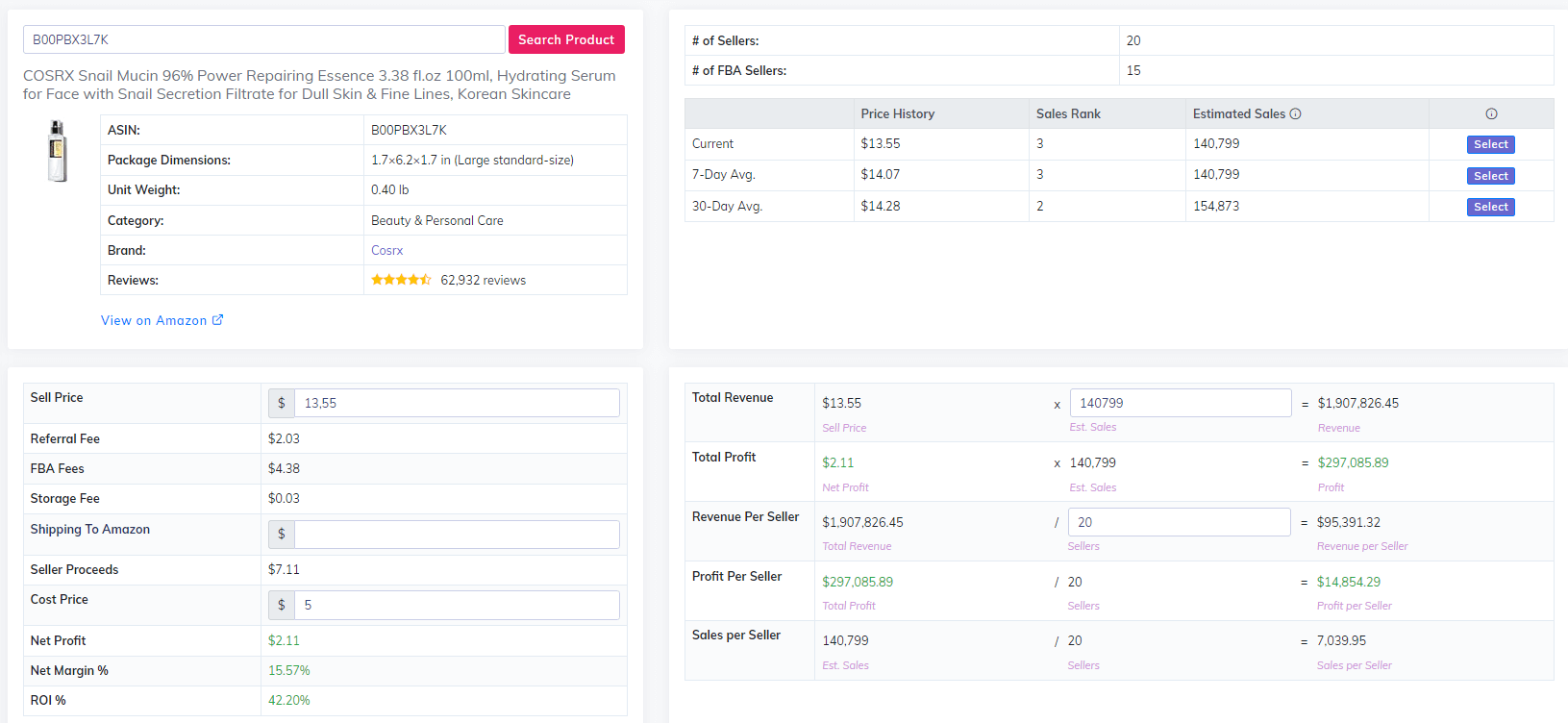
ProfitGuru advertises its Chrome extension as free without a paid subscription. It also publishes free tools such as an FBA Calculator and Sales Estimator. These do not reproduce the complete paid dashboard, but they can answer useful pre-purchase questions:
- Does the interface suit the way you research?
- Are the displayed fields relevant to your model?
- Do the calculations use inputs you understand?
- Is Amazon US the marketplace you need?
Security note: Install browser extensions only from the official ProfitGuru page or its verified store listing. See our Chrome extension review.
Does the coupon affect the guarantee?
Use AMZNINJA50OFF for the advertised 50% discount (or AFFMAVEN30 for 30%), but do not assume a coupon changes or extends the refund window. The checkout and current legal terms govern eligibility.
Save the order confirmation. It should show the code, charge, billing term and renewal information. Our ProfitGuru coupon guide explains redemption; the pricing comparison helps choose a plan.
How to request a refund safely
- Read the current terms before purchase.
- Record the purchase date and guarantee deadline.
- Cancel future renewal through the account if available.
- Contact the official support channel with the account email and order details.
- State clearly that you are requesting a refund under the seven-day guarantee.
- Keep confirmation messages.
Never send full card details by email. Payment support may ask for a safe transaction identifier, but should not need your complete card number or security code.
When the guarantee is not enough
Seven days may be too short if your next supplier file arrives later, your team needs an approval cycle, or you sell mainly outside Amazon US. In that case, use monthly billing rather than annual commitment and organise the test before purchase.
For a multi-user business, the current one-user account limit may be a decision blocker that no trial can solve.
Final answer
Verdict
ProfitGuru offers a short paid evaluation through a seven-day money-back guarantee, not a normal free trial. Prepare real data, test the workflows that affect purchasing decisions and request a refund promptly if the platform does not earn a place in your stack.
Frequently asked questions
Can I try ProfitGuru for free without a card?
The full platform does not currently advertise a card-free trial. The Chrome extension and selected tools are available free.
When does the seven-day period begin?
Treat the purchase time as the start unless the live terms state otherwise. Confirm this before subscribing.
Is cancellation the same as a refund request?
Not necessarily. Cancellation may stop renewal without returning the current charge. Follow the stated refund process as well.
Which plan should I test first?
Starter is suitable for light research. Use Professional if large supplier files, Market Intelligence or unlimited keyword lookups are essential to the test.