ProfitGuru Chrome Extension Review for Faster Amazon Research
The ProfitGuru Chrome extension is a free Amazon research extension that displays profit estimates, fees, demand, seller competition, eligibility signals, brand information, keyword data and Keepa charts while you browse Amazon. It is useful for screening products quickly, but the full ProfitGuru dashboard is better for database searches, bulk supplier files, market analysis and tracking.
Quick verdict
| Question | Answer |
|---|---|
| Is it free? | ProfitGuru currently says yes, no subscription required |
| Best for | First-pass Amazon US product checks |
| Strongest feature | Research data without leaving the listing |
| Keepa charts | Included in the workflow |
| Replaces full ProfitGuru? | No |
| Main caution | Estimates and eligibility signals still need verification |
What the extension shows
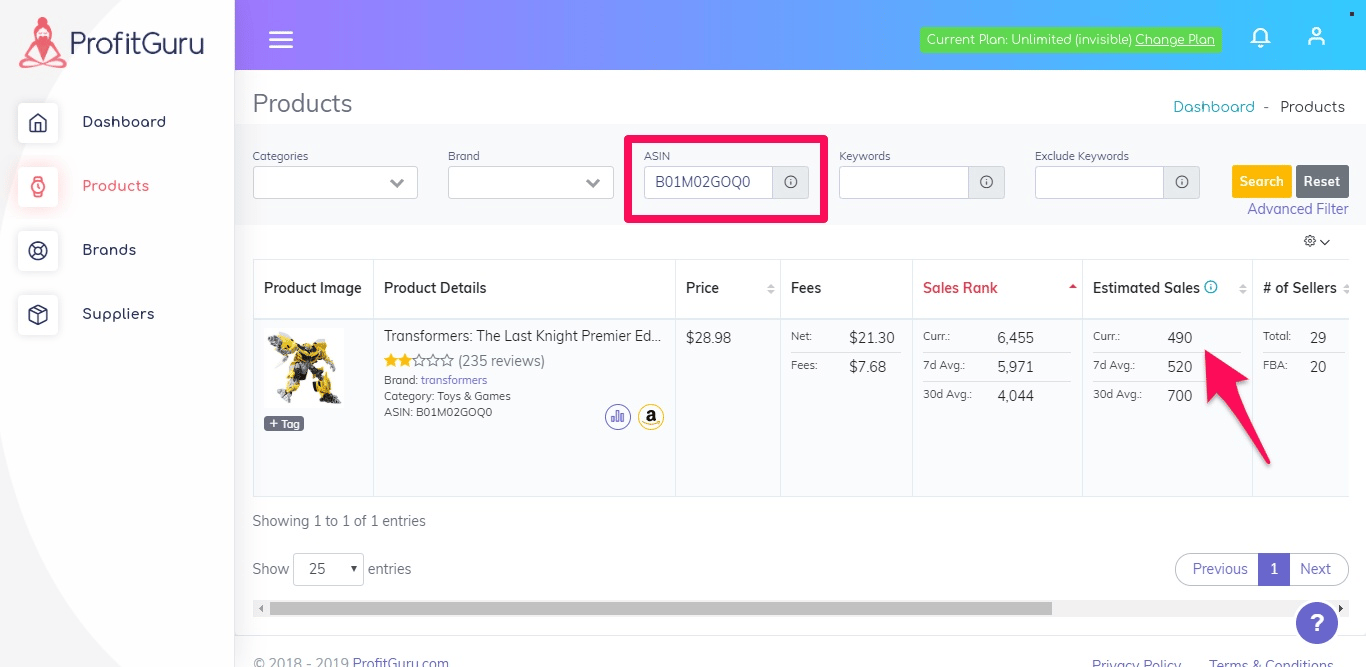
ProfitGuru describes the extension as a research layer for Amazon product pages. Depending on the page and available data, sellers can review:
- Product price and key listing details
- Estimated monthly sales and demand signals
- Best Sellers Rank information
- FBA and referral fee estimates
- Profit, ROI and maximum buy cost
- Number and type of competing sellers
- Whether Amazon is competing on the listing
- Eligibility or restriction-related signals
- Brand and catalogue information
- Relevant search terms
- Keepa price and rank charts
- AI-assisted analysis linked to ProfitGuru context
The advantage is speed. A seller can reject a clearly poor product before opening several separate tabs.
How to install it safely
- Visit ProfitGuru’s official Chrome extension page.
- Follow its link to the verified Chrome Web Store listing.
- Confirm the publisher and read the requested permissions.
- Install the extension and pin it to the browser toolbar.
- Sign in only through an official ProfitGuru domain.
- Test it on a familiar Amazon US listing.
Do not install copies from download portals. Browser permissions can expose page data, so the source matters.
A practical listing-screening workflow
Step 1: Start with the buy cost
Enter the actual supplier or retail cost. Include prep, inbound freight, labels, duties and other landed expenses where the calculator allows. An attractive margin based on an incomplete cost is not profit.
Step 2: Review fees and size
Check the referral and fulfilment fee estimates. Oversize tiers, dimensional weight and category changes can materially alter the result. Confirm critical fees in Amazon’s own revenue calculator before ordering.
Step 3: Inspect demand
Look at BSR, estimated sales and Bought Past Month where available. Do not use one current rank as proof of stable demand.
Step 4: Read the Keepa history
Check price, Buy Box, rank, offer count and Amazon’s presence across time. A profitable snapshot may be a short promotion, stock-out or seasonal peak.
Step 5: Assess competition
Review seller count, FBA versus FBM offers, Buy Box rotation and whether Amazon sells the item. More sellers do not always mean worse competition, but a rapidly rising offer count can compress margin.
Step 6: Verify eligibility
Treat an extension signal as an early warning. Confirm selling eligibility inside the exact Seller Central account that will list the item.
Step 7: Record the decision
Use a sourcing sheet or the full ProfitGuru platform to record pass, fail and follow-up reasons. Consistent rejection rules improve a team’s research quality.
Profit and maximum-cost calculations
The maximum buy cost is useful when negotiating with a supplier. Work backwards from a minimum profit and ROI threshold rather than asking whether the current cost is barely positive.
For example, if a seller requires $5 profit and 30% ROI, the acceptable source price must leave room for all Amazon fees, landed cost and expected price movement. Use a lower expected sell price than today’s peak when history is volatile.
The extension speeds up this calculation, but it cannot know future Buy Box price, returns, storage charges or an unexpected fee adjustment.
Keepa inside ProfitGuru
Embedded Keepa charts are a major convenience. They place historical context beside ProfitGuru’s current estimates. Sellers should learn the basic lines before acting:
- Sales-rank movement as a demand signal
- Buy Box stability
- Amazon in-stock periods
- New-offer count
- Seasonal price patterns
- Long gaps caused by stock-outs
The embedded chart does not necessarily replace every feature of a paid Keepa account. Use the full service if your workflow needs deeper data or exports.
Extension versus full dashboard
| Job | Extension | Full ProfitGuru |
|---|---|---|
| Check one Amazon listing | Excellent | Possible |
| Search millions of candidates | Limited | Product Database |
| Compare brands and sellers | Snapshot | Dedicated databases |
| Upload supplier spreadsheets | No | Bulk Analysis |
| Build purchase orders | No | Yes |
| Reverse ASIN research | Limited links/context | Dedicated tool |
| Track keywords | No | Keyword Tracker |
| Validate a niche | Limited | Market Intelligence on Professional |
Use the extension for individual decisions and the dashboard for systematic research.
Best use cases
Online arbitrage
The extension helps make a quick first pass while browsing Amazon. Dedicated arbitrage tools may offer more specialised deal management, but ProfitGuru covers core economics.
Wholesale sample checks
Before uploading a full catalogue, check several known lines. This reveals how products map and whether the supplier’s cost structure is promising.
Private-label competitor checks
Inspect leading products, seller concentration and keyword links, then move to Reverse ASIN and Market Intelligence for deeper analysis.
Limitations
- Current product coverage is focused on Amazon US
- Estimates are not Seller Central facts
- Selling eligibility must be confirmed inside your account
- A browser view is not efficient for hundreds of products
- A free extension does not include every paid platform workflow
- Browser permissions deserve normal security review
How to QA the extension
Pick five ASINs from your own catalogue: two stable sellers, a seasonal item, one listing where Amazon enters stock and one weak product. Capture the extension’s fees, demand, sellers and eligibility signals.
Compare those fields with Amazon’s fee calculator, Seller Central, the live offer page, full Keepa history and account-level eligibility. Record only differences that would change a buying decision. A wrong pack match, fee tier or restriction signal is material; a small estimate variance may not be.
Repeat this benchmark after major Amazon fee changes or extension updates. It is more useful than claiming the extension is universally accurate.
Is a paid ProfitGuru plan worth adding?
Stay with the extension when you check products occasionally. Upgrade when you need saved research, database discovery, supplier files, keyword tracking or Market Intelligence.
Starter costs $25 monthly and Professional $50 before discounts. Apply AMZNINJA50OFF for the advertised 50% reduction (or AFFMAVEN30 for 30%) and verify it at checkout. See our ProfitGuru pricing guide for exact limits.
Final verdict
Verdict
The ProfitGuru Chrome extension is a useful free entry point. It places enough research information on Amazon pages to improve a first-pass decision, and Keepa charts add historical discipline. Serious sellers should treat it as the front end of a research process, not an automatic buy signal.
Frequently asked questions
Is the ProfitGuru extension really free?
ProfitGuru currently states that the Chrome extension is available free without a subscription.
Does the extension work on Amazon UK?
ProfitGuru currently lists platform support for Amazon US. Confirm extension marketplace coverage before relying on it elsewhere.
Does it include Keepa?
The extension displays Keepa charts. Some advanced Keepa functions may still require separate access.
Can the extension check if I am allowed to sell a product?
It can show an eligibility signal, but the final check should happen inside your own Seller Central account.